
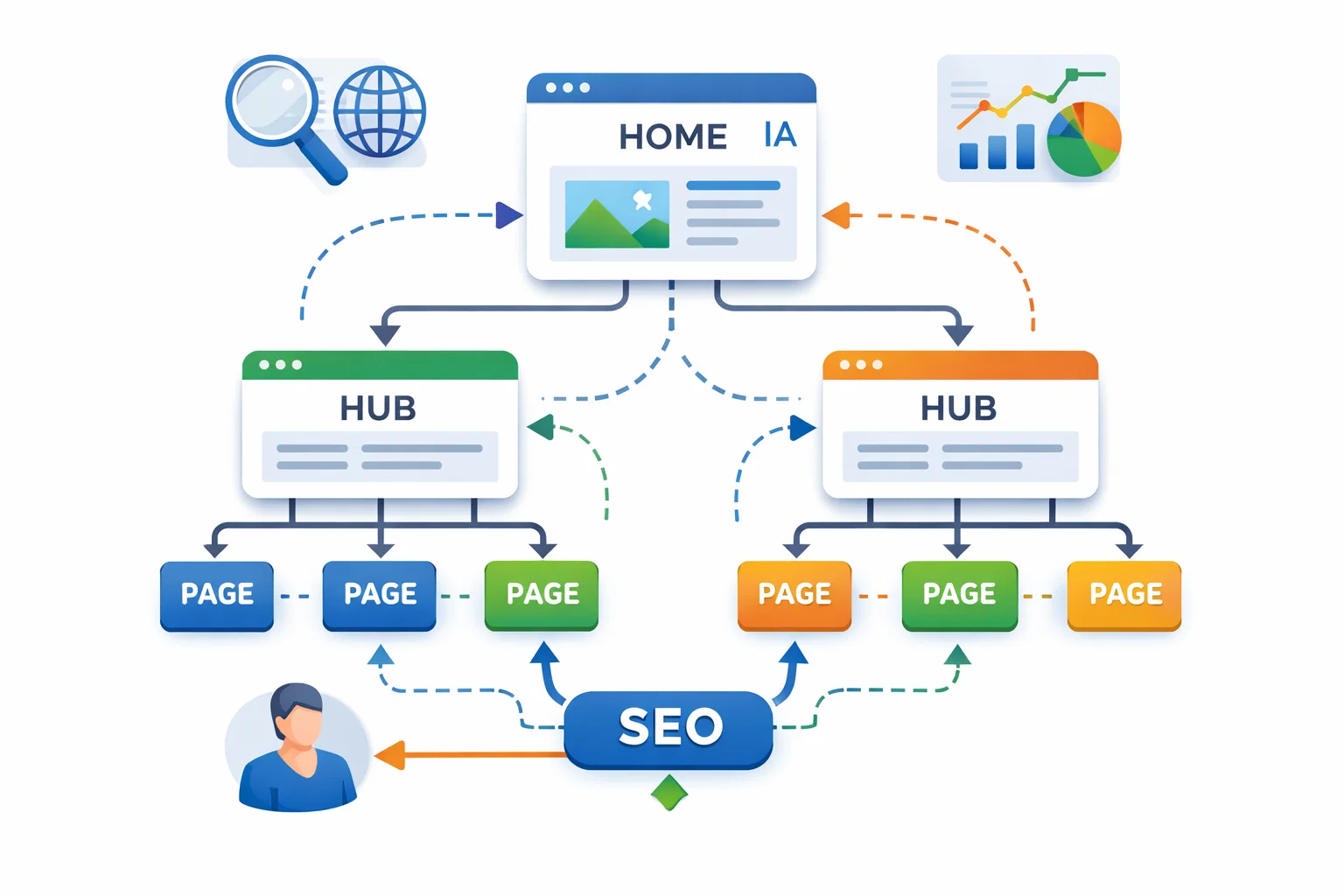
IA & Internal Linking are essential parts of a strong, long-term SEO foundation. Information Architecture defines how your website content is planned, grouped, and presented, so both users and search engines can understand it easily.
Internal linking then connects those pages in a meaningful way, guiding visitors and distributing authority across the site. When these two work together, search engines crawl pages faster, key content gains more visibility, and users enjoy a smoother experience.
Based on proven SEO practices and real site performance data, well-structured IA and smart internal links consistently support better rankings, stronger topical authority, and sustainable organic growth.
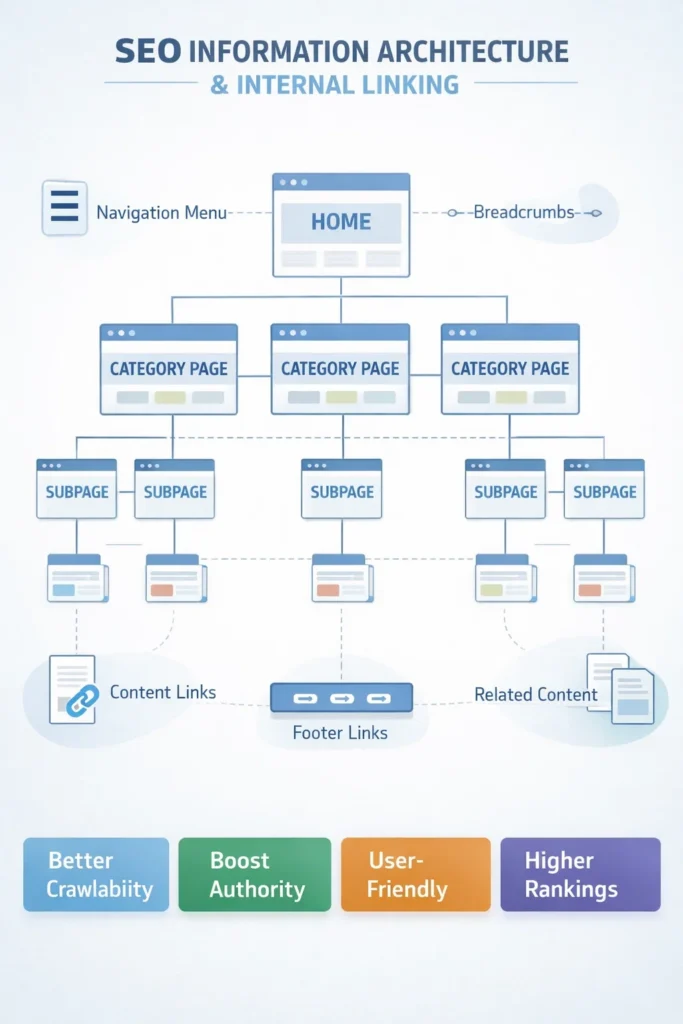
How Internal Linking Strengthens Your Website SEO
Internal linking is how your website pages connect with each other. These links help visitors move easily between pages and discover related content, while also helping search engines understand how your site is organized.
Unlike external links, internal links stay within your own website. This matters because they pass authority from strong pages to other pages, helping important content rank higher in search results.
Internal links appear in different places on your website, such as:
- Navigation menus and breadcrumbs – help users move around easily.
- Contextual links within content – guide readers to related pages naturally.
- Footer links to important pages – highlight key sections of your site.
- Related content sections – suggest more information readers might like.
- Category and tag pages – organize content for better discovery.
- Author bios and call-to-action buttons – connect users to more content or actions.
Each type has a unique purpose, but together they improve your site’s structure, boost SEO performance, and make your website easier to use.
How Strategic Internal Linking Drives SEO Success
Internal linking is the practice of connecting pages within your own website. It helps search engines discover, follow, and index your content more efficiently. Research shows that 82% of potential internal linking opportunities are missed by site owners, leaving a significant SEO advantage untapped. Pages that receive more internal links are often viewed as more important, which can improve their ranking potential and overall search performance.
The Importance of Linking Related Content
Strategically linking related content creates topical relevance signals. These signals demonstrate to search engines that your website has authority and expertise in specific areas, increasing the likelihood of ranking higher for target keywords. Internal links also enhance user experience by guiding visitors to helpful content, encouraging longer visits, and boosting engagement across your site.
Key Benefits of Internal Linking
- Improved crawlability for search engines – makes it easier for Google and others to index your pages.
- Better distribution of page authority – important pages gain more ranking power.
- Enhanced user experience and engagement – keeps visitors exploring your site.
- Stronger topical relevance signals – show search engines your expertise in specific topics.
- Reduced bounce rates – users stay longer and interact more.
- Higher conversion rates – guiding users to key pages increases chances of action.
Best Practices for Internal Linking
1. Link Your Key Pages
Focus on content-rich pages and link related articles to each other. Main pages like the homepage or About usually need fewer links unless driving conversions.
2. Use Descriptive Anchor Text
Anchor text should clearly describe the linked page. Avoid “click here” and keep links natural and concise.
3. Keep Links Relevant and Limited
Too many links dilute value. Start with 5 per page and add more only if contextually relevant.
4. Update Old Content
Add new information and internal links to older posts. This keeps content fresh and strengthens site connections.
5. Link Where It Fits Naturally
Insert links where topics overlap, not just at the end of articles. This improves flow and user experience.
6. Use Dofollow Links Only
Internal links should always be dofollow to pass authority and SEO value.
7. Support Your Site Structure
Internal links should reinforce navigation and highlight cornerstone content to boost visibility and authority.
8. Focus on High-Quality Content
Pages must provide value. More links only help if the content is useful and relevant to your audience.
9. Audit Links Regularly
Check for broken links, redirects, and outdated references to maintain SEO performance.
How to Build Your Internal Linking Strategy
Building an effective internal linking strategy starts with understanding how your content connects. The goal is to create meaningful links that guide users and signal the importance of key pages to search engines. Done well, internal linking improves your site’s crawlability, boosts authority, and enhances user experience.
Map Your Content Hierarchy
Begin by listing all the pages on your website and grouping them by topic. Tools like Screaming Frog can make this process faster and more accurate. For instance, a law firm might organize pages under categories like Corporate Law, Employment Law, and Commercial Property, with specific practice areas nested below.
Your main navigation should reflect this hierarchy. Top-level categories need to be easily accessible to users, creating a logical foundation for internal linking. Reviewing your existing content also helps identify gaps and opportunities, ensuring your internal linking framework supports your most important topics.
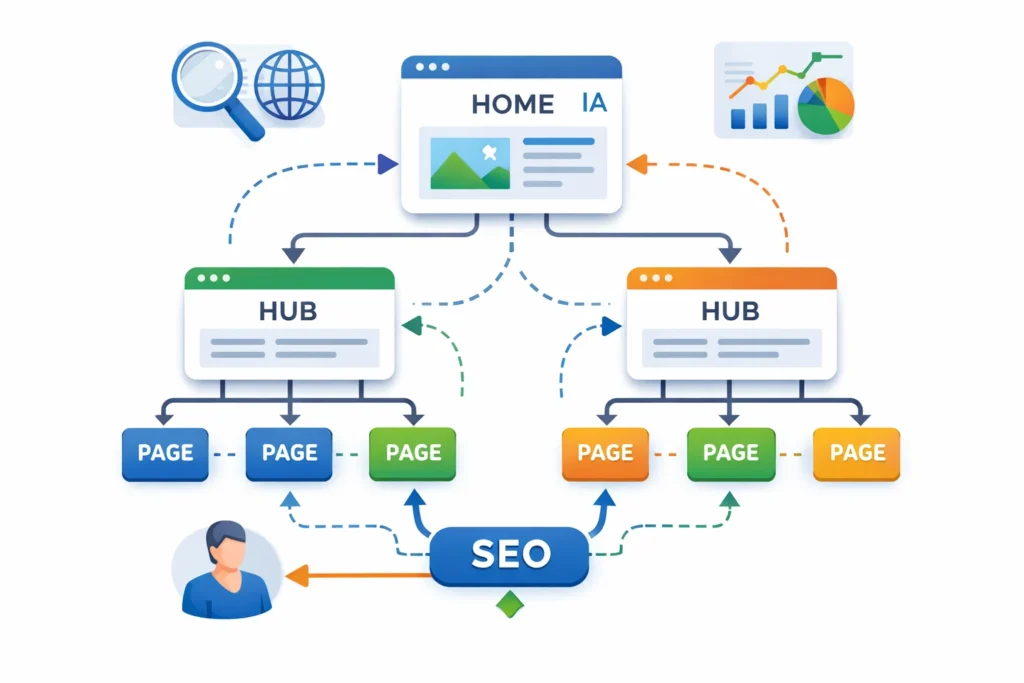
Identify Your Hub Pages
Hub pages are the cornerstone of your site—they cover main topics in depth and deserve the most internal link equity. A well-built hub page should:
- Cover the topic comprehensively
- Stay updated regularly to remain relevant
- Link to multiple related subtopics
- Target competitive keywords
- Provide exceptional value to users
When publishing related content, always link back to relevant hub pages. This signals to search engines that these pages are authoritative resources in your field.
Use Descriptive Anchor Text
Anchor text tells both users and search engines what to expect from a link. Avoid generic phrases like “click here” and use clear, specific text that reflects the content of the linked page. Effective anchor text should:
- Be clear and descriptive
- Stay relevant to the destination page
- Flow naturally within the surrounding content
- Vary to avoid repetition
- Include keywords when appropriate
By combining a clear content hierarchy, strong hub pages, and descriptive anchor text, your internal linking strategy will improve SEO, guide users smoothly, and strengthen your website’s authority.
Scaling Internal Linking for Large Websites
Large sites face unique challenges in keeping a clean, logical link structure. Without it, users and search engines struggle to find your key content.
Build a Scalable Structure
Design a linking system that grows with your site. Use consistent category-based links or automated “related content” suggestions to reduce manual work.
Fix Orphan Pages
Orphan pages have no links pointing to them, making them hard to find and rank. Check your sitemap against your links and:
- Add links from relevant pages
- Include them in menus or hub pages
- Merge redundant content
Focus on High-Value Pages
Prioritize pages that drive results:
- Service or product pages
- Conversion-focused content
- Resources showcasing expertise
- Revenue-generating pages
Avoid wasting links on low-value pages like About or Contact.
Technical Best Practices
- Clean URLs: Use readable, keyword-friendly URLs
- Fast Loading: Optimize images and page speed
- Mobile-Friendly: Ensure links work on all devices
Track Performance
Measure success with:
- Organic traffic and rankings
- User engagement (time on site, pages per session)
- Click-through and conversion rates
Tools like Google Analytics, Search Console, and Ahrefs help track results.
User-First Linking
Create links that guide users naturally. Avoid keyword stuffing, irrelevant links, and excessive anchors. Helpful, contextually relevant links benefit both users and SEO.
Avoid Common Mistakes
- Repeating keyword anchors excessively
- Linking to irrelevant pages
- Neglecting broken or outdated links
- Ignoring site hierarchy
Future-Proof Your Strategy
- Focus on user intent first
- Use semantic relationships to connect related content
Why I Love Information Architecture
Information architecture and internal linking are the backbone of SEO. They help search engines understand your content and guide users smoothly through your site.
Smart internal linking connects related pages, boosts authority, and improves rankings. A clear site structure makes navigation easy and helps search engines index your pages faster.
At Passion Digital, we create internal linking frameworks and site structures that strengthen SEO, enhance user experience, and drive long-term growth.
FAQs
How many internal links per page?
3–5 contextual links per 1,000 words is a good guide. Focus on relevance and value, not numbers.
Site structure vs information architecture?
Site structure shows how pages connect. IA is the overall content organization, including categories and labels.
How to measure internal linking impact?
Track traffic, rankings, crawl stats, and engagement. Watch underperforming pages for improvements.
Use exact keywords in anchor text?
Use descriptive, natural anchor text. Vary it to avoid over-optimization.
How often to review links?
Check quarterly and after adding new content or major updates.
Does internal linking help crawlability?
Yes. It helps search engines find and index pages easily.
Internal linking and page authority?
Links pass authority from strong pages to others, boosting rankings.
Impact on user experience?
Guides visitors to relevant content, reduces bounce, and improves engagement.