 Skip to content

Photos & Videos Strategy SEO + AI + Trust
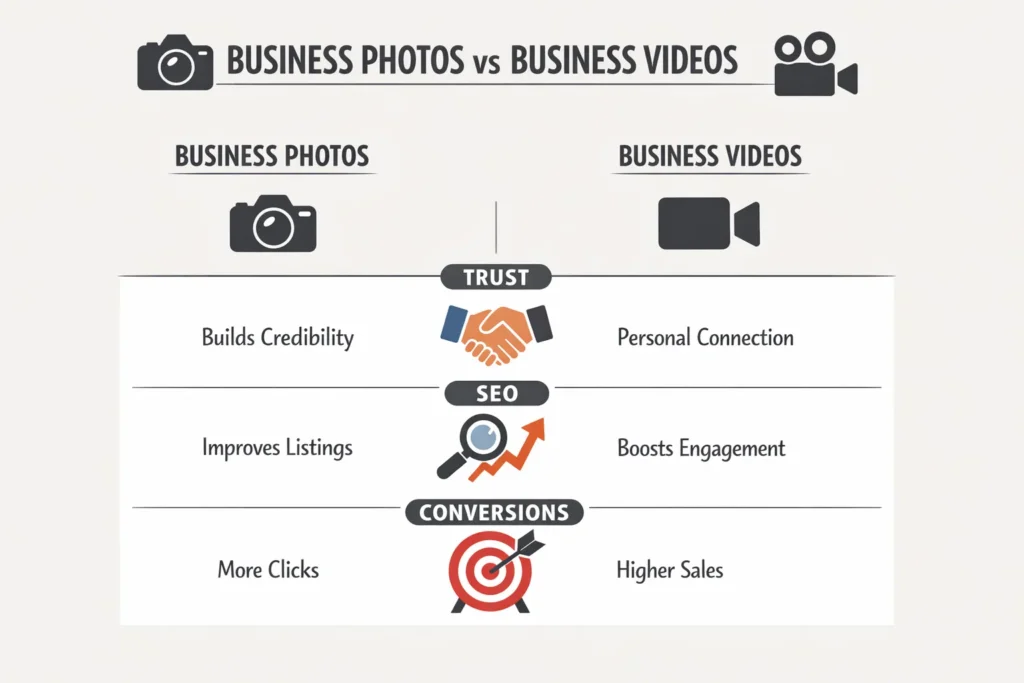
Photos and videos are no longer visual extras. They are ranking signals, trust builders, and AI training data. Google, Maps, and AI systems analyze visual content to confirm legitimacy, relevance, and user satisfaction.
A strong photos and videos strategy improves:
- Local and organic visibility
- Click-through rate
- Conversion confidence
- AI summaries and recommendations

Why Photos & Videos Matter for SEO and AI Search
Search engines and AI systems use visuals to answer questions like:
- Is this a real business?
- What does this company actually do?
- Can users trust it?
According to Google, listings with high-quality photos receive more clicks, direction requests, and calls than those without. AI systems also prioritize businesses with rich, consistent visual signals when generating summaries.
Photo Strategy: What to Upload and Why
1. Business Identity Photos (Trust Signals)
Examples
- Office exterior and interior
- Team at work
- Reception or workspace
Why they matter
- Confirm real-world presence
- Reduce spam risk
- Improve user trust
Best practices
- Natural lighting
- No stock photos
- Clear, professional framing
2. Service & Process Photos (Relevance Signals)
Examples
- Work-in-progress shots
- Tools, dashboards, or systems in use
- Before-and-after visuals (where appropriate)
Why they matter
- Help Google understand services
- Support service-based queries
- Improve conversion confidence
3. Branding & Authority Photos
Examples
- Awards
- Certifications
- Conference participation
- Client collaboration visuals
Why they matter
- Reinforce expertise
- Increase perceived authority
- Support E-E-A-T signals
Video Strategy: What to Create and How to Use It
1. Short Explainer Videos (30–60 seconds)
Examples
- “What we do”
- “How our service works”
- “Who we help”
SEO value
- Higher engagement
- Longer profile interaction
- Better AI summarization
2. Trust & Proof Videos
Examples
- Team introductions
- Client testimonials
- Behind-the-scenes clips
SEO value
- Builds authenticity
- Reduces bounce and hesitation
- Improves conversion rate
3. Educational Micro-Videos
Examples
- Quick tips
- Common mistakes
- FAQ-style answers
SEO value
- Aligns with AI answer formats
- Increases topical authority
- Encourages repeat engagement
Technical Optimization for Photos & Videos
Photo Optimization
- Use real images only (no stock)
- File name: descriptive and keyword-aligned
Example:business-hours-office-team.jpg - Add accurate alt text
- Compress without quality loss
- Use consistent aspect ratios
Video Optimization
- Upload directly to Google Business Profile
- Keep under recommended size limits
- Add captions when possible
- Use clear thumbnails
Posting Frequency & Consistency
Recommended cadence
- Photos: 3–5 new images per month
- Videos: 1–2 per month
- Update visuals when services, staff, or location changes
Consistency matters more than volume.
How Google & AI Systems Evaluate Visual Content
AI systems analyze:
- Image clarity
- Contextual relevance
- Metadata consistency
- User engagement signals
Businesses with updated, authentic visuals are more likely to:
- Appear in AI summaries
- Rank in visual-based discovery
- Gain trust faster
Outdated or generic visuals reduce confidence.
Common Mistakes to Avoid
- Using stock photos
- Uploading blurry or dark images
- Ignoring video entirely
- Mismatched visuals across platforms
- No alt text or context
These mistakes silently hurt visibility.
Simple Photos & Videos Checklist
- ✅ Real business photos only
- ✅ Clear service representation
- ✅ Consistent branding
- ✅ Proper file names and alt text
- ✅ Monthly updates
- ✅ At least one short video
Bottom Line
Photos and videos are search signals, not decorations. They influence how Google ranks you, how AI describes you, and whether users trust you enough to click or convert.
A simple, consistent, and authentic visual strategy outperforms flashy but generic content every time.
