 Skip to content
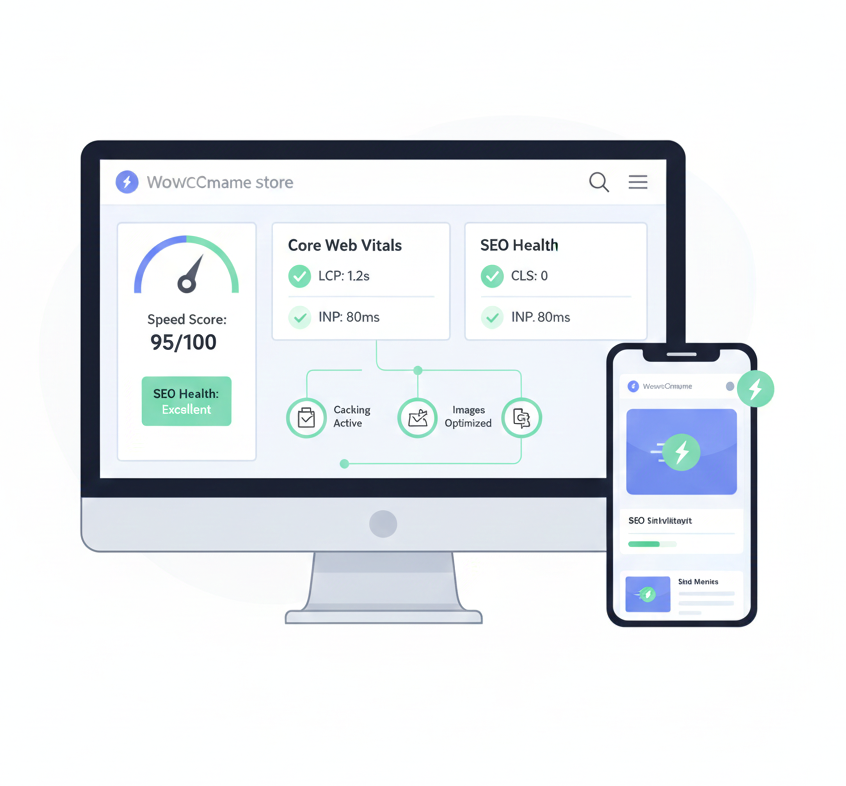
In 2026, WooCommerce performance is no longer optional for SEO success. Google now treats Core Web Vitals—Largest Contentful Paint (LCP). And Interaction to Next Paint (INP), and Cumulative Layout Shift (CLS)—as baseline ranking signals. Slow WooCommerce stores face higher bounce rates, lower conversions, and reduced rankings, even when content quality is strong.
This checklist focuses on practical, real-world optimizations that improve speed, user experience, and organic visibility.

Audit Your Current Performance First
Before making any performance changes, you need a clear picture of how your WooCommerce store is performing right now. Start by testing your most important pages.
Also including the homepage, product pages, cart, and checkout, since these directly affect user experience and conversions.
Use tools like PageSpeed Insights and Lighthouse to collect lab data. As well as nd identify technical issues related to speed, layout stability, and interactivity. Then, review the Core Web Vitals report in Google Search Console to understand how real users experience your site.
Focus first on high-traffic pages with poor scores, as improving them delivers the fastest SEO and conversion gains.
Optimize Hosting & Server Infrastructure
Your hosting and server setup set the maximum performance your WooCommerce store can achieve. Start by choosing a WooCommerce-optimized managed hosting provider that is built for dynamic stores and high traffic.
Enable modern protocols like HTTP/2 or HTTP/3 to allow faster parallel loading of assets. Upgrade your server to PHP 8.2 or newer, which delivers noticeable speed and efficiency improvements.
Reduce Time to First Byte (TTFB) by using server-level caching instead of relying only on plugins. Finally, ensure your hosting uses SSD storage and supports auto-scaling. If all is ok, your site stays fast during traffic spikes and sales events.
Implement Smart Caching
Smart caching is one of the most powerful ways to speed up a WooCommerce store. Start by enabling full-page caching to reduce server load and speed up page delivery. But always exclude dynamic pages like the cart, checkout, and customer account areas to avoid errors.
Add object caching using Redis or Memcached to speed up database queries and reduce repeated processing.
Enable browser caching for static assets such as images, CSS, and JavaScript so returning visitors load pages faster. Finally, configure automatic cache purging. If ok products, prices, or stock levels change to ensure customers always see fresh and accurate data.
Image & Media Optimization
Your hosting and server setup set the upper limit for WooCommerce performance. Choose a managed hosting provider built specifically for WooCommerce to ensure optimized configurations and expert support. Enable modern protocols like HTTP/2 or HTTP/3 to improve parallel loading and reduce latency.
Upgrade to PHP 8.2 or newer to gain faster execution and better resource handling. Reduce Time to First Byte (TTFB) by using server-level caching and optimized database handling. Finally, use SSD storage and auto-scaling infrastructure, so your store stays fast and stable during traffic spikes or sales events.
CSS, JavaScript & Asset Control
In WooCommerce, excessive CSS and JavaScript—often from themes, plugins, and third-party integrations. Also, you can significantly inflate page size and execution time, directly harming Interaction to Next Paint (INP).
INP measures user input responsiveness, and bloat leads to longer main-thread tasks, thereby delaying interactions such as button clicks or form submissions. In 2026, with Google’s emphasis on CWV, maintaining lean assets is crucial for keeping INP under 200ms and boosting SEO. Aim to reduce the total JS/CSS payload below 200-300KB per page for optimal performance.
Key Optimizations:
Minify and Defer Non-Critical CSS/JS:
Minification removes whitespace and comments, shrinking file sizes by 20-30%. Deferring load scripts after HTML parsing, preventing render-blocking. Use plugins like WP Rocket or Autoptimize to automate this—configure to defer all JS except essentials (e.g., WooCommerce cart scripts). Example in functions.php: text
function defer_parsing_of_js($url) { if (is_user_logged_in()) return $url; // Don't defer for admins if (FALSE === strpos($url, '.js')) return $url; if (strpos($url, 'jquery.js')) return $url; // Exclude jQuery return str_replace(' src', ' defer src', $url); } add_filter('script_loader_tag', 'defer_parsing_of_js', 10);
Inline Critical CSS; Remove Unused Code:
Extract and inline above-the-fold CSS for faster rendering (improves LCP too). Tools like Critical CSS Generator or Perfmatters can automate extraction.
For unused code, use Asset CleanUp or PurgeCSS to strip bloat—scan pages and remove CSS/JS not needed on specific URLs (e.g., admin-only scripts on frontend). This can cut CSS by 50%+ on product pages.
Limit Third-Party Scripts; Break Long Tasks:
Third-party code (e.g., Google Analytics, Facebook Pixel, chat widgets) often adds heavy, synchronous loads. Audit with Lighthouse, then lazy-load or async them.
For long tasks (>50ms), use Web Workers or break them into smaller chunks via setTimeout. Prioritize: Remove non-essential trackers; consolidate (e.g., one analytics script).
Use Async Loading Where Applicable:
Apply ‘async’ to scripts that don’t depend on DOM readiness (e.g., tracking). In WooCommerce, async non-critical plugins like reviews or upsells. Combine with defer for best results. Example tag: <script async src=”script.js”></script>.
Implement these via plugins for ease, then validate with PageSpeed Insights. Expect 20-40% INP improvements, enhancing mobile SEO and user retention.
Database & Backend Optimization
WooCommerce stores rely heavily on the WordPress database for products, orders, customer data, and sessions, which can balloon in size over time—often exceeding 1GB for mid-sized shops—leading to slower queries, higher TTFB (Time to First Byte), and degraded Core Web Vitals like LCP.
Without regular maintenance, this growth causes performance bottlenecks, especially during high-traffic events, potentially increasing load times by 2-5x and hurting SEO rankings.
In 2026, with AI-driven analytics highlighting query efficiency, optimizing the backend ensures scalable operations, reduces server strain, and supports faster indexing by search engines. Focus on automated tools and proactive monitoring to keep your database lean, aiming for query times under 100ms.
Theme & Plugin Optimization
In WooCommerce, the choice of theme and plugins profoundly influences overall site performance, often accounting for 40-60% of load time due to unnecessary code, heavy assets, and inefficient rendering that exacerbate Core Web Vitals issues like Cumulative Layout Shift (CLS) and Interaction to Next Paint (INP).
To mitigate this, prioritize lightweight, WooCommerce-ready themes such as Astra, GeneratePress, or OceanWP, which are designed with minimal bloat, fast-loading templates, and built-in compatibility for e-commerce features—avoiding the overhead of multipurpose themes that bundle extraneous scripts and styles.
Steer clear of bloated page builders like Elementor or Divi on critical product and shop pages, as they introduce dynamic CSS/JS that can delay rendering; instead, opt for native Gutenberg blocks or lightweight alternatives for simpler customizations.
Mobile UX & SEO Integration
In 2026, mobile user experience (UX) has become a cornerstone of WooCommerce SEO, as over 60% of searches and nearly half of e-commerce traffic originate from mobile devices, directly influencing Google’s mobile-first indexing and Core Web Vitals rankings.
Poor mobile performance leads to higher bounce rates, suppressed visibility, and lost conversions, while optimized sites benefit from better engagement signals and higher positions in search results.
Integrating mobile UX with SEO involves creating responsive, fast-loading experiences that prioritize usability, accessibility, and crawlability, ensuring your store ranks well in an AI-driven, mobile-dominant search landscape.
This not only improves metrics like Largest Contentful Paint (LCP) and Cumulative Layout Shift (CLS) but also enhances overall user satisfaction, encouraging repeat visits and boosting organic traffic.
Key Optimizations:
Optimize Mobile Layouts First:
Adopt a mobile-first design approach where layouts are built for smaller screens before scaling up, using responsive themes like Astra or GeneratePress that adapt seamlessly to various devices.
Test with Google’s Mobile-Friendly Test tool to ensure no usability issues; incorporate touch-friendly elements like larger buttons (at least 48×48 pixels) and ample spacing to prevent mis-taps, which can reduce frustration and improve INP scores.
Reduce Intrusive Popups and Overlays:
Intrusive elements like full-screen popups or overlays can disrupt mobile navigation, leading to poor UX signals and potential SEO penalties under Google’s interstitial guidelines.
Limit them to non-disruptive banners or delay their appearance (e.g., after 10 seconds); use plugins like Popup Maker with mobile-specific rules to hide them on small screens, ensuring content remains accessible and maintaining low CLS.
Simplify the Checkout Process:
A streamlined mobile checkout minimizes steps to reduce abandonment rates (often >70% on mobile), directly supporting conversion-focused SEO.
Implement one-page checkouts with guest options, auto-fill forms, and mobile payment integrations like Apple Pay; plugins such as WooCommerce One Page Checkout can condense the flow, while A/B testing with tools like Google Optimize helps refine for faster completion and better engagement signals.
Use Clean URLs, Schema Markup, and Internal Linking:
Clean, descriptive URLs (e.g., /product/wireless-mouse) improve crawlability and click-through rates in mobile SERPs.
Enhance with schema markup (Product, BreadcrumbList) for rich snippets like prices and ratings, which stand out in mobile results; strengthen internal linking with contextual anchors (e.g., “Related Products”) to guide crawlers and users, boosting dwell time and indexation efficiency.
In the evolving landscape of WooCommerce performance tuning, optimization is not a set-it-and-forget-it task but an ongoing process that demands vigilance to sustain gains amid updates, traffic fluctuations, and Google’s algorithm changes.
As of 2026, with Core Web Vitals firmly entrenched as ranking signals, failing to monitor can lead to gradual degradation, resulting in poorer SEO performance, higher bounce rates, and diminished conversions—issues that compound over time without intervention.
Regular monitoring allows you to detect regressions early, correlate speed improvements with business metrics, and adapt to new standards like updated CWV thresholds or AI-influenced search behaviors. By establishing a routine of checks, tests, and refinements, you ensure long-term stability, turning performance into a competitive advantage that supports steady SEO growth and user retention.
