 Skip to content

User Experience (UX) has become a cornerstone of SEO in 2025. Google has fully integrated UX signals into its ranking algorithm. And marking a definitive shift from content-only evaluation to a holistic assessment of how users interact with sites.
Competitors like Medium and Growthway Advertising highlight this evolution, noting that Google’s updates. Since 2021 including the Page Experience signal, have prioritized real-world performance over mere keyword relevance. Core Web Vitals serve as quantifiable benchmarks for UX.
This change stems from Google’s aim to deliver results that not only match intent but also provide seamless navigation, reducing frustration and encouraging engagement—sites with poor UX now face demotion, as seen in reports from Bright Vessel, where non-compliant pages lost up to 30% visibility.
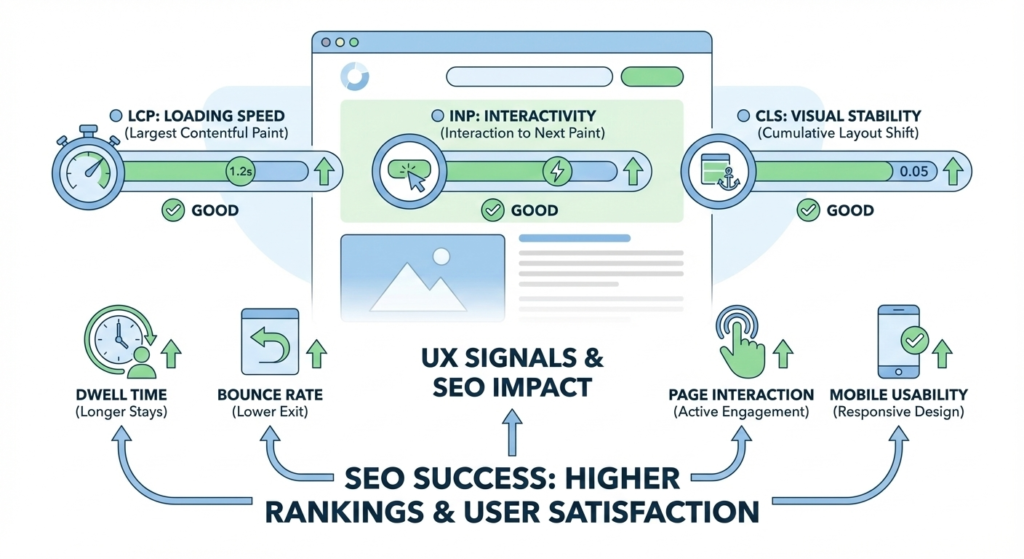
Google’s shift from content-only ranking to experience-based ranking began with the 2021 Core Web Vitals rollout and intensified in 20256 with stricter benchmarks, such as Interaction to Next Paint (INP) replacing First Input Delay (FID) for better interactivity measurement.
As per Google’s Developers page, this evolution ensures that search results favor sites offering fast, stable, and interactive experiences, aligning with user expectations in an AI-driven era where 65% of searches are zero-click.
Traditional SEO focused on backlinks and keywords, but now UX signals, like dwell time and bounce rates, act as behavioral validators, confirming content quality through user actions.
What Are UX Signals in SEO?
UX signals in SEO refer to behavioral and performance metrics that indicate how users interact with and perceive a website, helping search engines like Google assess the quality of the user experience beyond just content relevance.
In simple terms, UX signals are data points from real user interactions that reveal if a site is easy to use, fast, and satisfying—things like how long visitors stay or if they leave quickly due to frustration. Competitors like Bright Vessel and Enfuse Solutions describe them as the “real-world pulse” of a site, capturing aspects that traditional SEO factors like keywords or backlinks can’t fully address.
Google measures user satisfaction through a combination of direct and indirect signals, primarily via aggregated, anonymous data from tools like the Chrome User Experience Report (CrUX), which collects field data from actual users.
This includes quantitative metrics from Core Web Vitals and qualitative behaviors analyzed by algorithms like RankBrain, ensuring rankings favor sites that deliver positive experiences. For instance, OWDT notes that Google uses these to differentiate between sites with similar content, prioritizing those with lower frustration levels.
The Three Core Web Vitals Explained Simply
Core Web Vitals consist of three metrics—LCP, INP, and CLS—that measure distinct aspects of page performance, with benchmarks set at the 75th percentile of real-user data to ensure good experiences for most visitors.
1 Largest Contentful Paint (LCP)
LCP measures the time it takes for the largest visible element (like an image, video, or text block) to fully render in the viewport, capturing perceived load speed from the user’s perspective. An ideal LCP score is under 2.5 seconds, as per Google’s 2026 benchmarks, ensuring quick visual readiness that keeps users engaged.
Common causes of poor LCP include large unoptimized images, slow server response times, render-blocking JavaScript/CSS, and client-side rendering delays. Bright Vessel notes that header images or background videos often trigger this, leading to frustration and higher abandonment rates. To fix, prioritize critical resources and use modern formats like WebP.
2 Interaction to Next Paint (INP)
INP replaced FID in March 2024 because FID only measured the first interaction delay, while INP evaluates the responsiveness of all interactions throughout a session, providing a more comprehensive view of page interactivity.
A good interaction speed is under 200 milliseconds, as delays above this feel sluggish to users, per OWDT and Uxify.
Examples of bad INP experiences include slow button clicks due to heavy JavaScript execution, long-loading modals, or third-party scripts blocking the main thread, causing perceived lag in forms or navigation.
Enfuse Solutions emphasizes that INP assesses the longest delay per session, ignoring the worst every 50 interactions for fairness.
3 Cumulative Layout Shift (CLS)
CLS quantifies visual stability by scoring unexpected layout shifts during page load, where a score under 0.1 indicates good stability, preventing disruptive jumps that erode user trust.
Layout shifts hurt trust by causing accidental clicks or lost reading position, leading to frustration and higher bounce rates—Google Developers stresses this impacts conversions, as users associate instability with poor quality.
Common CLS mistakes include images without dimensions (causing reflows), ads/embeds loading late, dynamic content insertions, or font swaps without reserved space. Growthway Advertising recommends fixed sizes and CSS containment to avoid these, noting that e-commerce carts often suffer from CLS in checkouts.
How UX Signals & Core Web Vitals Affect Rankings
UX signals and Core Web Vitals affect rankings through direct and indirect impacts: directly as explicit ranking factors since 2021, where sites passing thresholds gain a boost in page experience signals, and indirectly by influencing behavioral metrics like dwell time and bounces that algorithms use to gauge quality. if ux is good and looks eye-catching, Mobile & Speed Optimization is Very Important for Website SEO.
Poor UX suppresses strong content by demoting sites despite high-quality text—if a page loads slowly or shifts, users leave, signaling irrelevance to Google, as noted by Bright Vessel, where non-compliant sites lost up to 30% visibility.
The connection with the Helpful Content System is tight: Core Web Vitals ensure helpful content is delivered seamlessly, amplifying E-E-A-T by proving the site is user-friendly, per Enfuse Solutions—Google’s 2022 Helpful Content Update integrated these, penalizing content that’s great but inaccessible due to poor UX.
UX Signals in AI Search & AEO
UX signals matter in AI Search and Answer Engine Optimization (AEO). Because AI tools like Google’s Gemini or Perplexity prefer fast, stable pages to extract. And summarize answers efficiently, ensuring quick response times that align with user expectations for instant results.
In featured snippets and AI answers, UX signals like low CLS and fast LCP make content more “extractable,” as unstable or slow pages are less likely to be cited—Growthway Advertising highlights that AI biases toward responsive sites for better snippet performance.
Voice search and mobile UX impact are significant. Voice queries (rising 30% by 2025 per Uxify) rely on mobile devices. Poor signals, like high INP, lead to frustration and lower inclusion in voice responses, emphasizing the need for mobile-first optimizations in AEO.
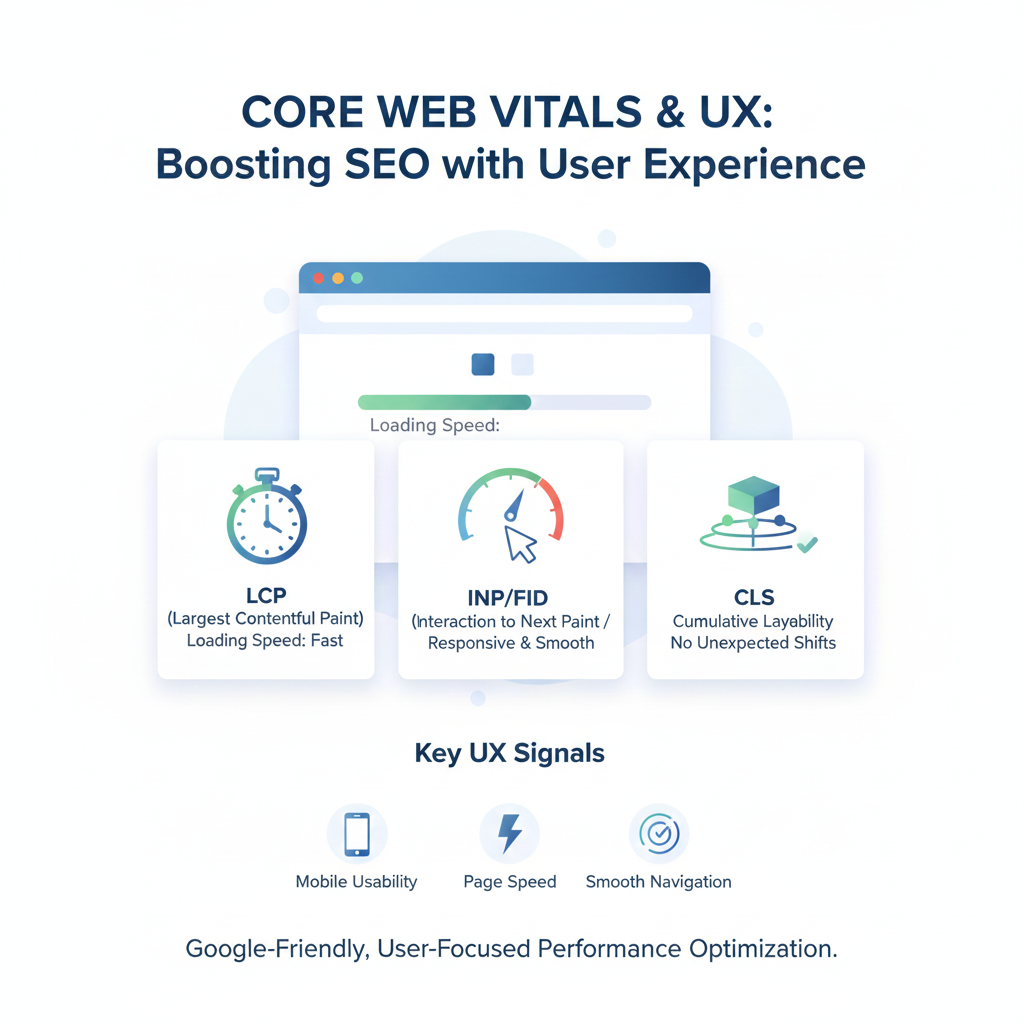
How to Measure UX Signals & Core Web Vitals
To measure UX signals and Core Web Vitals, start with Google Search Console’s Core Web Vitals report. Which groups URLs by performance status. (Good, Needs Improvement, Poor) Based on 28-day CrUX data, helping identify site-wide issues.
PageSpeed Insights provides lab results. And field data for specific pages, scoring LCP, INP, and CLS with diagnostics—OWDT recommends it for quick audits.
The Chrome UX Report (CrUX) offers aggregated real-user data from Chrome browsers. Accessible via BigQuery or APIs for custom analysis, as per Google Developers. Real-user data (field data from actual visitors) vs lab data (simulated tests in controlled environments).
Differ: real-user data reflects diverse conditions like network variability, while lab data is consistent for development.
Enfuse Solutions advises using both, with real-user for rankings and lab for fixes.
How to Improve Core Web Vitals
Improving Core Web Vitals requires targeted optimizations across speed, interaction, and stability—here’s an action checklist based on competitor insights.
Speed Optimization (for LCP):
- Compress images using tools like TinyPNG and convert to WebP/AVIF formats (reduce file sizes by 50% without quality loss).
- Minimize server response time by upgrading hosting and enabling compression (Gzip/Brotli)—Bright Vessel suggests aiming for TTFB under 200ms.
- Use a CDN to cache assets globally, reducing latency for users (Growthway recommends Cloudflare for edge computing).
Interaction Optimization (for INP):
- Reduce JavaScript blocking by deferring non-critical scripts and using async attributes (Enfuse: split large bundles to under 170KB).
- Improve input responsiveness with efficient event listeners and web workers for heavy tasks (OWDT: limit DOM size to <1,400 nodes).
Stability Optimization (for CLS):
- Set fixed dimensions for media (width/height attributes) to prevent reflows (Google Developers: use aspect-ratio for responsive images).
- Adopt font loading best practices like font-display: swap to avoid invisible text shifts (Uxify: preload critical fonts for faster rendering).
Regularly test with PageSpeed Insights and implement RUM for ongoing monitoring. Those are very important for techincal seo.
Common UX Mistakes That Kill SEO
Heavy ads and popups disrupt CLS and INP by causing shifts or delays, leading to higher bounces and suppressed rankings. Bright Vessel warns that they can increase abandonment by 20%. Poor mobile design, like non-responsive layouts, fails mobile-first indexing, with 53% of users leaving slow mobile sites per OWDT.
Delayed interactions from bloated JS or third-party scripts inflate INP, frustrating users and signaling poor quality to Google. (Enfuse: over 200ms delays perceived as sluggish). Unstable layouts without reserved space for embeds cause CLS, eroding trust—Growthway notes this is common in e-commerce, killing conversions.
UX Signals vs Content Quality: Which Matters More?
UX signals and content quality are interdependent. But UX acts as an amplifier: high-quality content on a poor-UX site underperforms. While optimized UX elevates even average content by improving engagement metrics.
Both must work together, as Google’s Helpful Content System integrates UX to reward satisfying experiences. Without good UX, strong content gets demoted, per Bright Vessel scenarios where slow sites lost rankings despite E-E-A-T.
Real-world ranking scenarios show UX breaking ties:
Two similar articles, but the faster one ranks higher due to better signals ( 7% conversion drop per second delay).
UX Signals for Local SEO & Conversion
UX signals impact Google Maps rankings by influencing mobile performance. As local searches (46% of total per Google) are predominantly mobile. Poor signals like high CLS demote listings, reducing visibility in Maps packs.
They build trust and leads by providing seamless experiences that encourage inquiries. And optimized sites seeing 15-25% higher conversions (OWDT stat).
Mobile-first UX is crucial for local searches, ensuring fast loads and easy navigation on devices. Boosting click-to-call or directions. Bright Vessel notes general mobile optimizations apply, driving foot traffic and leads for local businesses.
UX signals are permanent ranking factors in 2026, embedded in Google’s algorithm to prioritize user satisfaction over manipulative tactics. Core Web Vitals serve as baseline requirements. And not advanced features, meeting them is essential for visibility, as failing leads to suppressed rankings even for helpful content.
SEO success now depends on user satisfaction. Blending UX with quality content for resilient strategies—adapt or risk irrelevance in an AI-driven world.
