

How to Fix Google Indexing Problems (Why Google Is Not Indexing Your Pages + Step-by-Step Fix)
If Google is not indexing your pages, you’re not alone. Many website owners struggle with Google Search Console indexing problems like “discovered – currently not indexed,” “crawled – currently not indexed,” or pages not appearing in Google search results at all.
How to Fix Google Indexing Problem
This complete guide shows you exactly how to fix Google indexing problems, troubleshoot Search Console indexing issues, and get your pages indexed and ranked faster.

Crawling vs Indexing in Google (Important to Understand First)
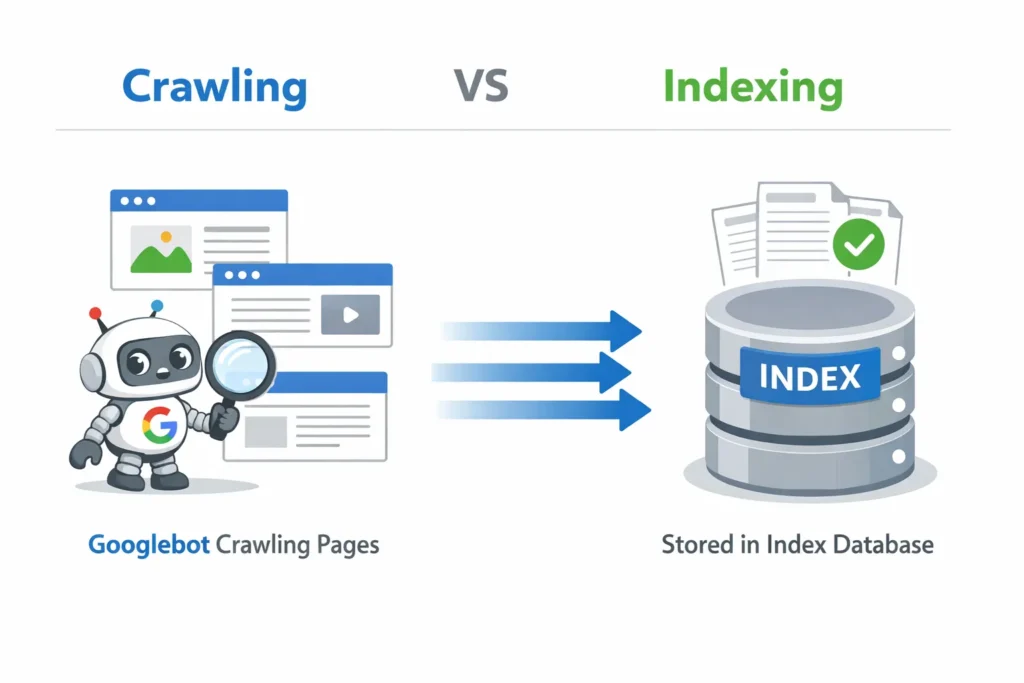
Many people confuse crawling and indexing, but they are not the same.
- Crawling means Google visits your page.
- Indexing means Google adds your page to its database so it can appear in search results.
A page can be crawled but still not indexed. This is why Search Console often shows statuses like:
- Crawled – currently not indexed
- Discovered – currently not indexed
Understanding crawling vs indexing in Google helps you fix the right problem instead of guessing.
Why Google Won’t Index My Site or Pages?
Here are the most common reasons Google is not indexing pages:
- The page has a noindex tag
- The page is blocked by robots.txt
- The page has thin or duplicate content
- The page returns server errors (4xx or 5xx)
- The page is marked as canonical to another URL
- The site has poor internal linking
- Google finds the page low quality or low value
These issues cause Google indexing problems and Search Console not indexing pages properly.
How to Fix Search Console Indexing Issues (Step-by-Step)
Follow these exact steps to fix Google Search Console indexing problems.
Step 1: Check URL Inspection in Search Console
Go to Google Search Console → URL Inspection
Paste the URL that is not indexed.
You will see one of these:
- URL is not on Google
- Discovered – currently not indexed
- Crawled – currently not indexed
- Submitted URL blocked by robots.txt
- Submitted URL marked ‘noindex’
Each message tells you what to fix.
Step 2: Fix “Discovered – Currently Not Indexed”
This means Google knows about the page but decided not to index it yet.
Fix:
- Improve content quality (add more helpful information)
- Add internal links from strong pages
- Add the page to your XML sitemap
- Make sure the page loads fast and returns status 200
- Remove duplicate or thin content
Step 3: Fix “Crawled – Currently Not Indexed”
This means Google crawled the page but did not index it.
Fix:
- Rewrite thin content into detailed content
- Remove duplicate content
- Improve page structure (headings, clarity)
- Add internal links
- Make sure the page satisfies search intent
This is one of the most common Google indexing issues.
Step 4: Fix Noindex Issues (Meta Robots and Headers)
If your page has:
<meta name="robots" content="noindex">
Google will never index it.
Fix:
- Remove the noindex tag from HTML
- Check server headers for X-Robots-Tag: noindex
- Save and republish the page
This fixes many cases where pages are not indexed by Google.
Step 5: Fix Robots.txt Blocking Issues
Check:
yourwebsite.com/robots.txt
If you see something like:
Disallow: /
Google is blocked from crawling your site.
Fix robots.txt example:
User-agent: *
Disallow:
This allows Google to crawl your pages and fix site not appearing in Google search issues.
Step 6: Fix Index Coverage Report Errors
In Search Console, go to Pages or Index Coverage report.
Common errors and fixes:
- Submitted URL marked ‘noindex’ → Remove noindex
- Submitted URL blocked by robots.txt → Update robots.txt
- Server error (5xx) → Fix hosting/server
- Soft 404 → Add content or return proper 404
- Duplicate without user-selected canonical → Set canonical properly
These errors cause Google Search Console indexing problems.
How to Request URL Indexing in Google Search Console
After fixing issues:
- Go to URL Inspection
- Paste the URL
- Click “Test Live URL”
- Click “Request Indexing”
This tells Google to re-crawl your page.
For many pages:
- Update your XML sitemap
- Submit sitemap in Search Console
This speeds up Google indexing.
Pages Indexed But Not Ranking (What to Do)
If pages are indexed but not ranking:
- Improve title tags and headings
- Match search intent better
- Add internal links
- Improve content depth
- Get relevant backlinks
- Improve page experience and speed
Indexing alone does not guarantee rankings.
Why Pages Aren’t Showing in Google Search
If your site is not appearing in Google search:
- Your pages may be not indexed
- Your pages may be indexed but ranking very low
- Your content may not match search intent
- Your site may have low authority
- Your pages may be new
Fix indexing first, then improve SEO signals.
Google Search Console Indexing Troubleshooting Checklist
Copy and use this checklist:
- Check URL in Search Console
- Fix noindex tags
- Fix robots.txt blocking
- Improve content quality
- Fix server errors
- Add internal links
- Submit sitemap
- Request URL indexing
- Monitor Index Coverage report
How to Fix Google Indexing Problems Long-Term
To prevent future indexing issues:
- Keep XML sitemap updated
- Do not index thin pages
- Avoid duplicate content
- Use internal linking properly
- Monitor Search Console weekly
- Fix technical SEO issues fast
This reduces Google indexing issues permanently.
Final Advice
If Google is not indexing your site or pages, it is almost always a technical SEO or content quality issue. Fix Search Console indexing problems step by step, improve content value, and use internal links and sitemaps properly. Once Google trusts your pages, indexing and rankings will improve naturally.
FAQ
Why is Google not indexing my pages?
Because of noindex tags, robots.txt blocks, thin content, or technical errors.
How to fix “discovered not indexed” in Search Console?
Improve content quality, internal links, and request indexing.
How to fix “crawled currently not indexed”?
Make the page more useful, remove duplication, and improve internal links.
How to request URL indexing?
Use URL Inspection in Search Console and click “Request indexing.”
How to fix noindex issues in robots.txt?
Remove noindex meta tags and make sure robots.txt allows crawling.